
New York subway ticket problems can be frustrating, but most issues—like MetroCard failures, OMNY payment errors, or fare disputes—are fixable with the right steps. This guide walks you through practical solutions to get you back on the train fast.
Key Takeaways
- Know your payment options: Use OMNY or a working MetroCard to avoid entry issues.
- Check for physical damage: Scratched or bent MetroCards often fail at turnstiles.
- Use the OMNY app for troubleshooting: View transaction history and resolve payment glitches.
- Visit a station agent for help: They can refund fares or replace faulty cards.
- Keep receipts for disputes: Always ask for proof when paying with cash or card.
- Update your OMNY account: Ensure your payment method is current to prevent declines.
- Report persistent issues: Contact MTA customer service if problems continue.
Quick Answers to Common Questions
Tip/Question?
What should I do if my MetroCard keeps getting rejected?
Check the latest prices and available rooms before they sell out.
Tip/Question?
Try cleaning the magnetic strip and swiping slowly. If that doesn’t work, test it at a vending machine or ask a station agent for a replacement.
Tip/Question?
Can I use Apple Pay on the subway?
Tip/Question?
Yes! Apple Pay works with OMNY. Just hold your iPhone or Apple Watch to the reader until you see a checkmark.
Tip/Question?
How do I check my OMNY ride history?
Tip/Question?
Download the OMNY app or visit omny.info and log in to your account. Your ride history and charges are listed there.
Tip/Question?
What if I was charged twice for one ride?
Tip/Question?
Check your bank statement, then report the issue in the OMNY app or contact your bank. Most duplicate charges are refunded automatically.
Find the Best Accommodation Deals
Compare prices from multiple booking platforms and find the best option for your stay.
Compare Hotel PricesTip/Question?
Is there a fee to use OMNY?
Tip/Question?
No, OMNY is free to use. You only pay the standard fare—same as with a MetroCard.
Find the Best Accommodation Deals
Compare prices from multiple booking platforms and discover the best stay options available.
⭐ Trusted by thousands of travelers
💰 Budget to luxury options available
Introduction: Why Subway Ticket Problems Happen—and How to Fix Them
Riding the New York City subway is a daily ritual for millions, but nothing ruins your commute faster than a ticket that won’t work. Whether you’re using an old-school MetroCard or the newer OMNY system, technical glitches, wear and tear, or user error can stop you at the turnstile. The good news? Most New York subway ticket problems are easy to fix—if you know what to do.
In this guide, you’ll learn step-by-step how to troubleshoot and resolve the most common subway ticket issues. From MetroCard malfunctions to OMNY payment failures, we’ll cover practical fixes, when to ask for help, and how to avoid problems in the future. Whether you’re a local or a visitor, these tips will help you move through the system smoothly.
Step 1: Identify the Type of Ticket or Payment Method You’re Using
Best Stay Deals Available
Compare prices across top booking platforms and find the best deal for your stay.
Check Available RoomsVisual guide about New York Subway Ticket Problem How to Fix
Image source: shutterstock.com
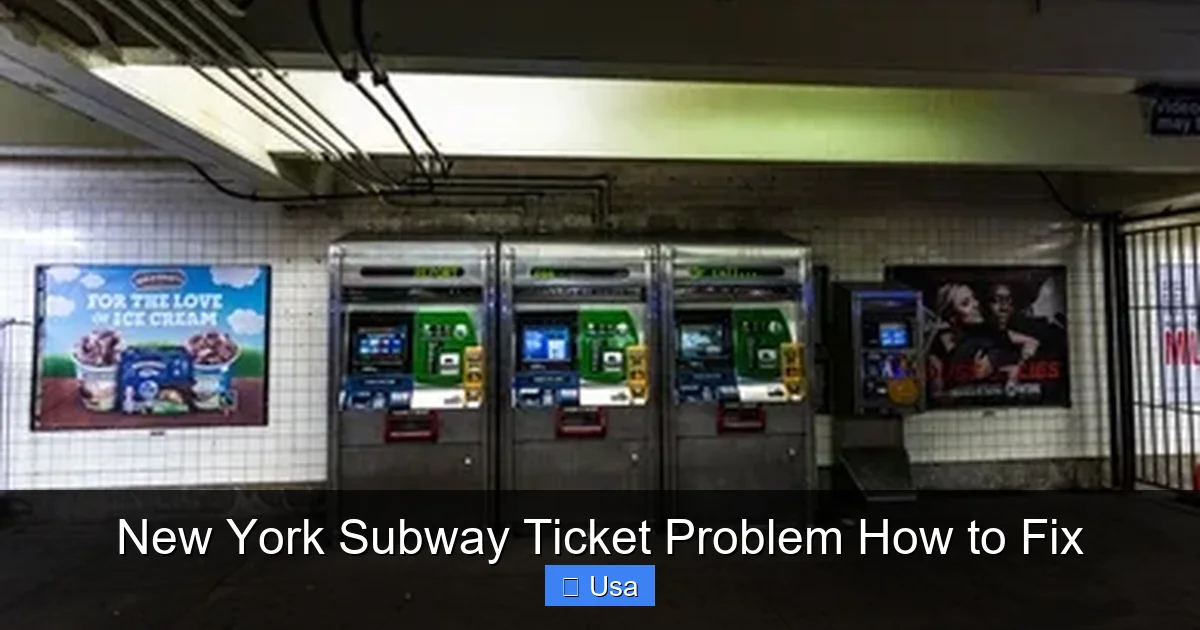
Before fixing any issue, it’s important to know which payment system you’re dealing with. The MTA has transitioned from MetroCards to OMNY (One Metro New York), a contactless payment system, but both are still in use.
MetroCard Users
MetroCards are the older, plastic cards that you swipe at turnstiles. They’re being phased out but are still accepted in all stations. Common problems include:
– The card not scanning
– “Value Not Available” error
– Card getting stuck in the machine
OMNY Users
OMNY allows you to pay with a contactless credit/debit card, smartphone (Apple Pay, Google Pay), or wearable device. Issues may include:
– Payment not going through
– “Try Again” message
– Multiple charges for one ride
Knowing which system you’re using helps you apply the right fix.
Step 2: Fixing Common MetroCard Problems
Visual guide about New York Subway Ticket Problem How to Fix
Image source: shutterstock.com
If your MetroCard isn’t working, try these steps before panicking.
Check for Physical Damage
Inspect your card for scratches, bends, or cracks—especially along the magnetic strip. Even minor damage can prevent the card from being read. If the strip is visibly worn, the card may need replacement.
Clean the Magnetic Strip
Dirt or oil can interfere with scanning. Gently wipe the strip with a soft, dry cloth. Avoid water or cleaning products, which can damage the card further.
Try Swiping Again—Correctly
Many people swipe too fast or in the wrong direction. Hold the card flat and swipe smoothly from left to right in one motion. Don’t lift the card until the swipe is complete.
Test at a Different Turnstile
Sometimes the issue is with the machine, not the card. Try another turnstile or a MetroCard vending machine to see if your card is recognized.
Use a MetroCard Vending Machine
Insert your card into a vending machine. If it reads the balance, the card is likely fine—the problem may be with the turnstile. If it says “Invalid Card,” you’ll need a replacement.
Step 3: Resolving OMNY Payment Issues

Visual guide about New York Subway Ticket Problem How to Fix
Image source: shutterstock.com
OMNY is convenient, but it’s not immune to problems. Here’s how to fix the most common ones.
Ensure Your Device or Card Is Enabled for Contactless Payments
Not all cards or phones support contactless payments. Check that your card has the contactless symbol (four curved lines) or that your phone has Apple Pay or Google Pay set up.
Hold Your Device or Card Properly
Place your card or phone flat against the OMNY reader (the black circle on the turnstile). Hold it steady for 1–2 seconds. Don’t tap and remove it immediately—this can cause a failed transaction.
Check for Multiple Charges
Sometimes OMNY charges you more than once. Check your bank or credit card statement within 24 hours. If you see duplicate charges, contact your bank first—then report it to OMNY support.
Use the OMNY App to Monitor Transactions
Download the free OMNY app (available on iOS and Android). It shows your ride history, balance, and any errors. If a ride wasn’t recorded, you can request a refund through the app.
Update Your Payment Method
If your card is expired or declined, update it in the OMNY app or on the OMNY website. Outdated payment info is a common cause of failed transactions.
Step 4: What to Do If You’re Charged Incorrectly
Being overcharged or charged for a ride you didn’t take is frustrating—but fixable.
Request a Fare Adjustment
If you were charged but didn’t get through the turnstile, or if you were charged twice, you can request a refund. Visit a station with a booth and speak to an agent. Bring your card or phone and explain what happened.
Use the OMNY App for Refunds
Open the OMNY app, go to “Ride History,” find the incorrect charge, and tap “Report an Issue.” Follow the prompts to submit a refund request. You’ll usually get a response within a few days.
Keep Proof of Payment
Always keep your receipt if you paid with cash at a vending machine. For card payments, save your bank statement. This helps when disputing charges.
Step 5: When to Ask for Help at the Station
Some problems require human assistance. Don’t hesitate to ask for help.
Find a Station Agent
Look for the station booth—usually near the entrance. Agents can:
– Replace a damaged MetroCard
– Refund incorrect charges
– Help with OMNY issues
– Provide temporary cards if needed
Use the Help Point Intercom
If there’s no agent, press the red button on the Help Point intercom (found in most stations). You’ll be connected to MTA staff who can guide you.
Visit a MetroCard Vending Machine with Assistance
Some machines have a “Customer Assistance” button. Press it to speak with support if you’re having trouble adding time or value.
Step 6: Preventing Future Ticket Problems
A little preparation goes a long way.
Switch to OMNY for Reliability
OMNY is more reliable than MetroCards and doesn’t suffer from physical wear. Plus, it’s free to use—no need to buy a separate card.
Register Your OMNY Account
Create an account at omny.info or through the app. This lets you track rides, manage payments, and recover funds if your device is lost.
Carry a Backup Payment Method
Always have a second option—like a contactless card or a spare MetroCard—in case your primary method fails.
Check Your Balance Regularly
Low balances can cause “Insufficient Fare” errors. Use the OMNY app or a vending machine to check and refill as needed.
Troubleshooting Persistent Issues
If problems keep happening, take these steps.
Contact MTA Customer Service
Call 511 (say “MTA”) or visit new.mta.info/contact-us. Have your card number, ride details, and payment info ready.
Report a Faulty Turnstile
If a turnstile consistently fails, report it via the MTA website or app. Use the “Report a Problem” feature and include the station name and turnstile location.
File a Formal Complaint
For serious issues—like repeated overcharging—submit a complaint through the MTA’s online form. This helps improve the system for everyone.
Conclusion: Stay Calm and Ride On
New York subway ticket problems are annoying, but they’re rarely permanent. Whether you’re dealing with a glitchy MetroCard or an OMNY error, most issues can be resolved quickly with the right approach. Remember to stay calm, check your payment method, and ask for help when needed.
By following this guide, you’ll be better prepared to handle any ticket trouble that comes your way. And with a little prevention—like switching to OMNY and keeping a backup payment method—you can minimize disruptions and keep your commute smooth. The subway is here to serve you. Now go ride it with confidence.